 Swipeclean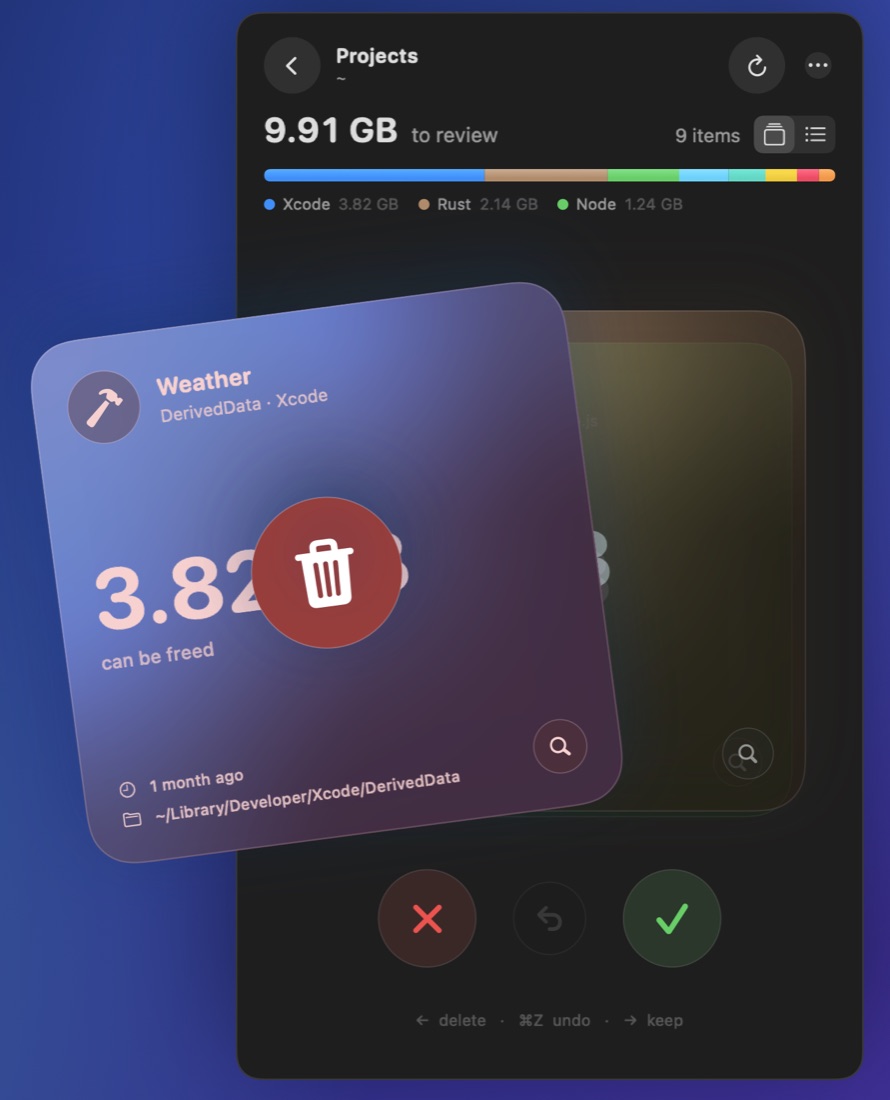
Help
How do I use Swipeclean?
Click the Swipeclean icon in the menu bar, then pick what to look at, or use Full Scan to check everything at once. Each item shows up as a card: swipe left (or press ←) to move it to the Trash, swipe right (or press →) to keep it.
Why does Swipeclean ask for access to my home folder?
Apps from the Mac App Store can only see the folders you give them. The first time you scan, Swipeclean opens your home folder in a standard macOS window; click Allow Access once and it will remember. Unused Apps asks for the Applications folder the same way.
I deleted something by mistake. Can I get it back?
Yes. Press ⌘Z or the undo button to put the last item back where it was. Items stay in the Trash until you choose Delete Permanently, so you can also restore them from the Finder Trash.
I deleted files but my disk didn't get more space.
Deleted items wait in the Trash so you can undo. Use Delete Permanently at the bottom of Swipeclean to remove only what Swipeclean moved there, or empty the Trash in Finder.
Is it safe to delete build folders and caches?
Folders like node_modules, DerivedData, build and tool caches are recreated by their tools the next time you build or install, which can take a while and may need an internet connection. Each card says how the item comes back. Swipeclean never touches your Photos library, app bundles or anything inside .git.
Some files are missing from a scan.
Swipeclean uses the Spotlight index to find files quickly. Folders excluded from Spotlight in System Settings › Spotlight won't show up. Items you swiped right on are hidden too; bring them back with … › Show Kept Items Again.
Does Swipeclean send my data anywhere?
No. Everything happens on your Mac. Swipeclean has no account, no analytics and no network access. See the privacy policy.
Contact
Write to us and include your macOS version. We usually reply within two working days.